
When evaluating earbuds with a translation feature, start with two questions: how does speech in another language reach your ears, and what part does your phone play?
Translation earbuds typically work with a phone app or a system translation feature. A microphone captures speech, the translation system converts the content into the target language, and the earbuds or phone speaker play the translated speech. The earbuds deliver the translation to your ears, while the phone app and language processing services help turn the original speech into translated audio.
How a Sentence Becomes Another Language
Take the English question “Where is the station?” and its Spanish translation, “¿Dónde está la estación?”. Following the changes from sound to text to translated speech makes the process easier to understand.
First, capture the speech. A microphone picks up the speaker’s voice, giving the system audio to process. The microphone in use depends on the translation mode: some modes use the earbuds, while others use the phone.
Next, recognize what was said. Speech recognition converts the spoken English into the English text “Where is the station?” This step identifies the words in the original speech. Its output is still English; translation comes next.
Then, convert the language. Machine translation uses the recognized English content to produce the Spanish text “¿Dónde está la estación?”. It must account for how the two languages express meaning and arrange words, rather than simply replace each word individually.
Finally, generate and play the translated speech. Speech synthesis turns the Spanish translation into audible Spanish speech, which a playback device, such as the earbuds, delivers to the listener. What the listener hears is speech generated from the translated text in the target language. The written translation on the phone screen and the translated audio in the earbuds are two different outputs.
Connecting speech recognition, text translation, and speech synthesis in this way is called cascaded speech translation. The diagram follows the same sentence to show what each step receives and produces.
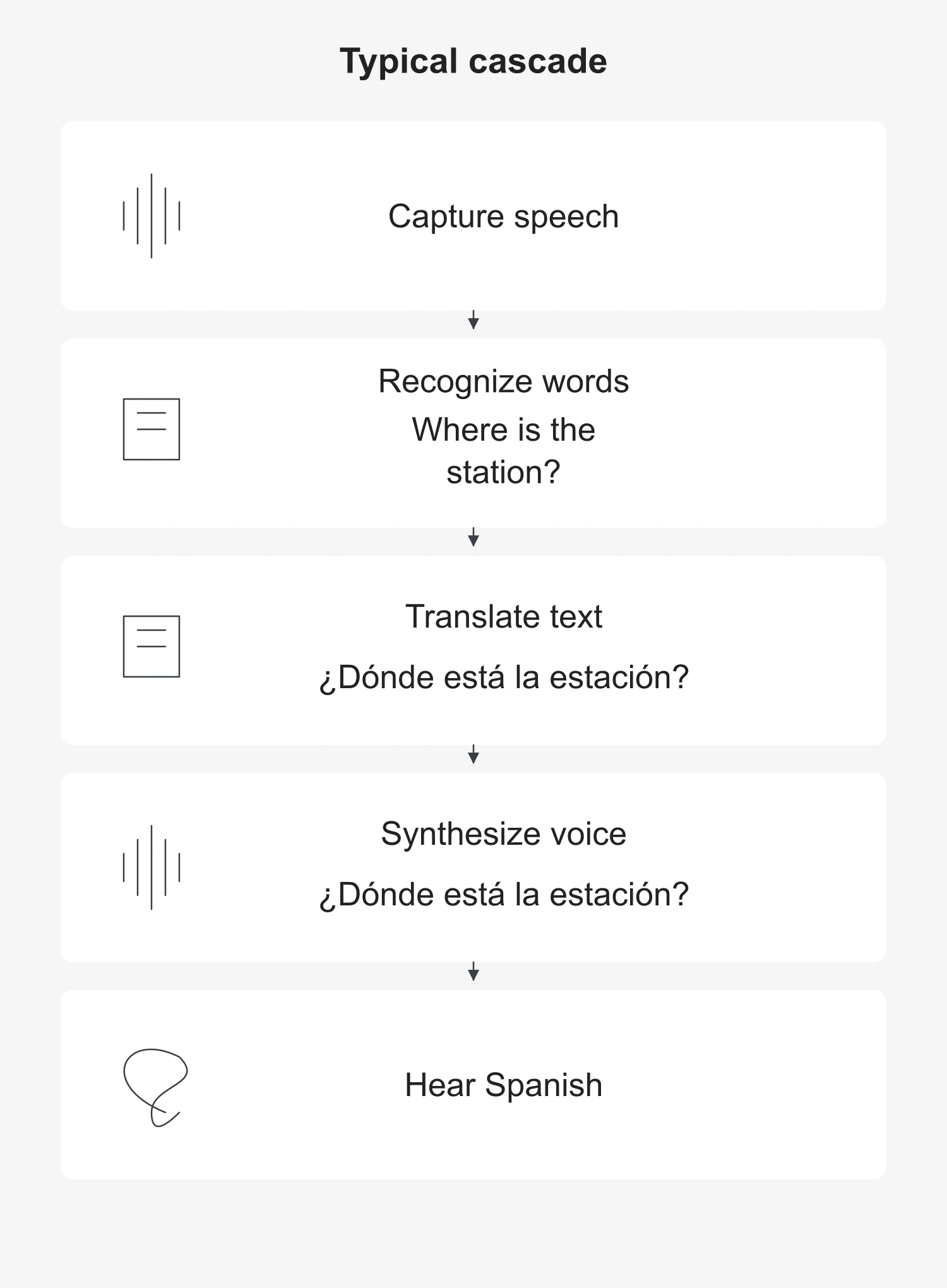
Systems can also use direct speech-to-speech models that reduce reliance on intermediate text representations. The diagram shows one typical approach. It does not mean that every pair of earbuds contains three separate modules, and the app may not display all the intermediate results.
What the Earbuds, Phone, and Internet Each Do
The earbuds play audio for the wearer and may also capture speech. The phone app lets you enter a translation mode, choose languages, and manage audio input and output according to the system’s design. Bluetooth maintains the connection between the earbuds and the phone; the translation system handles the language conversion.
With an online translation service, the phone connects to a remote service over the internet. That service processes the relevant content and returns the results. Even if the earbuds remain connected to the phone over Bluetooth, the phone must be able to reach the online service to use translation features that depend on it. A “Bluetooth connected” status confirms only the link between the earbuds and the phone.
Offline translation removes the relevant feature’s dependence on the internet. For example, one offline approach keeps the earbuds connected to a supported phone and runs offline translation through its companion app. Some systems also require language packs to be downloaded in advance. The phone and app are still in use, so “offline” does not mean that the earbuds work on their own. Offline support may also be limited to particular devices, language pairs, and modes.
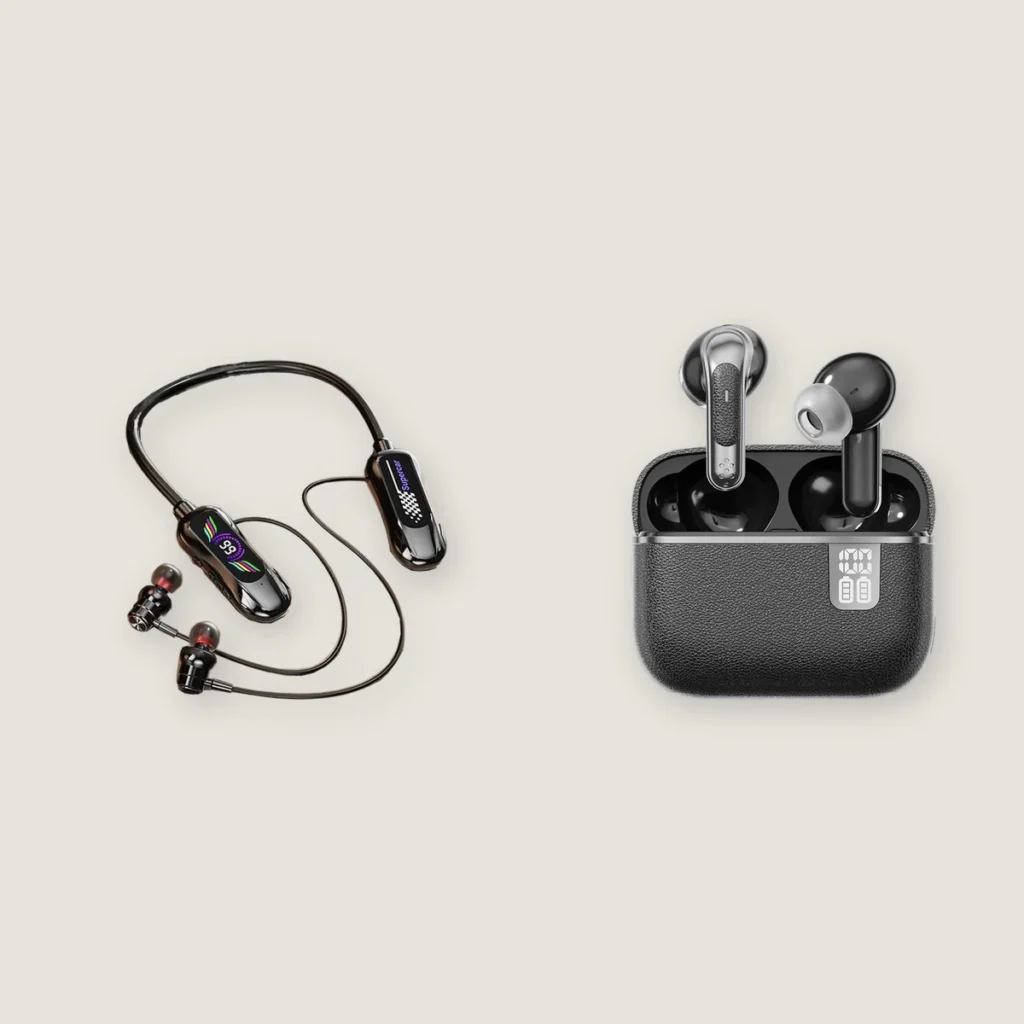
Earbuds with the same exterior can also have different configurations. For example, the current page for Yinshidon’s CYXG in-ear wireless earbuds lists a standard call noise reduction configuration separately from a configuration with translation. When checking the translation feature, the companion app, available languages, and internet requirements need to match the specific configuration. An exterior photo or Bluetooth connection status cannot reveal these capabilities.
Who Hears the Translation in a Two-Way Conversation?
For you to understand the other person, and for that person to understand you, translation needs to run in two opposite directions.
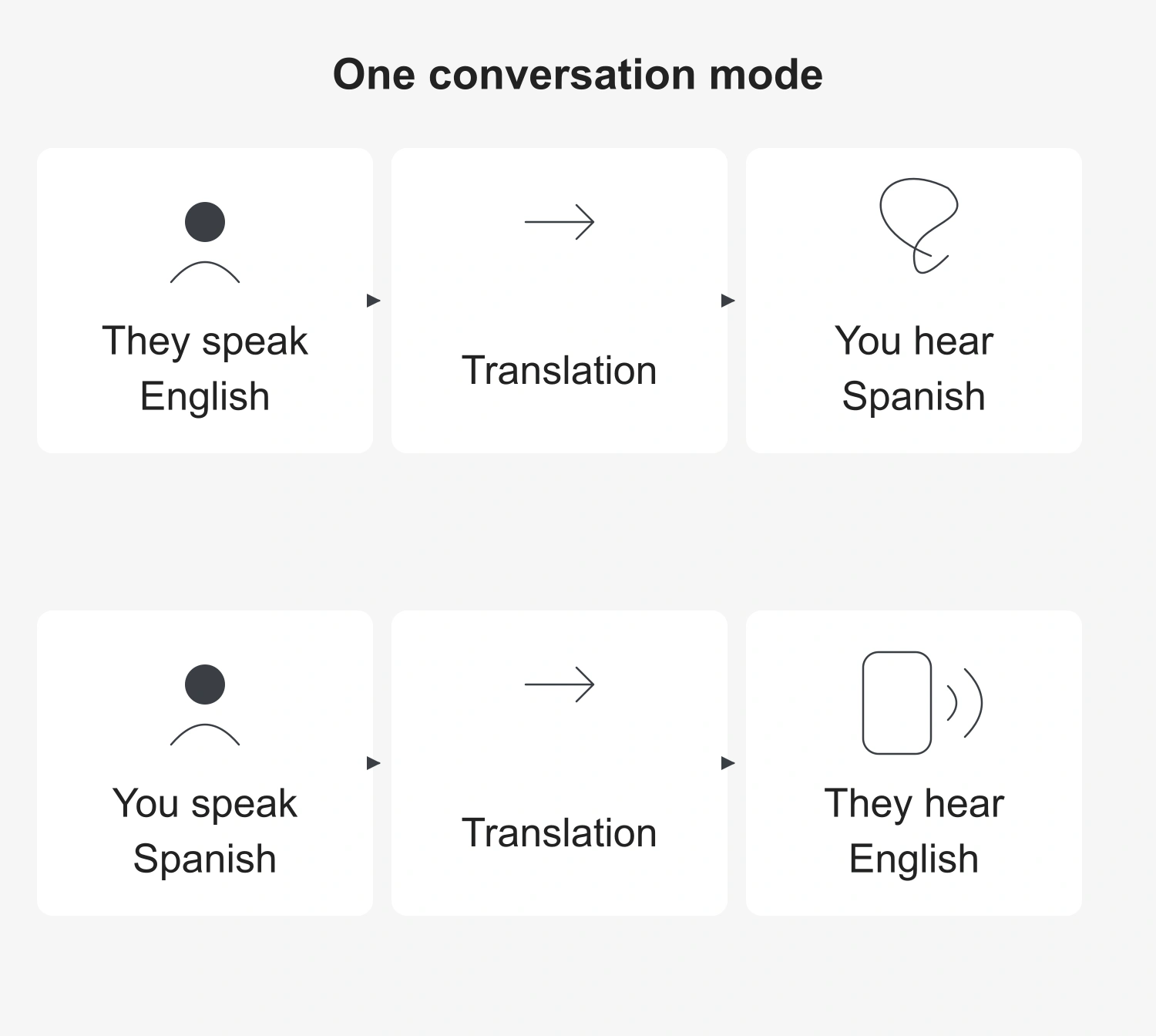
In one face-to-face conversation mode, you wear the earbuds while the other person participates through the phone. When that person speaks English, the system translates it into Spanish and plays it through your earbuds. When you reply in Spanish, the system generates English speech and plays it to the other person through the phone speaker. The phone screen can also show the translation.
Some systems let each person wear one earbud to receive translated speech. Sharing the earbuds this way describes who wears them and hears the output; speech may still be captured by the phone or by the earbuds. Giving one earbud to each person does not mean that either earbud can translate independently of the phone.
When you only need to understand a speech or presentation, you can use a one-way listening mode supported by the system. For example, some modes capture the speaker’s voice through the phone microphone and play the translated speech through the earbuds. Here, the phone captures the audio, so its position affects how clearly it picks up the speaker. This type of listening only needs to deliver the speaker’s content to the listener; it does not also need a reverse translation process for the listener’s reply.
When choosing a mode, consider who is speaking, which device captures the speech, and who needs to hear the translation. Together, these determine how audio moves through the system.
Why You May Still Wait or Hear a Mistranslation
“Real-time translation” can keep processing and producing output while someone speaks, but it still needs time to gather enough audio and language context.
Languages do not always follow the same word order. Before a sentence is finished, the system must decide which translated words to output now and whether to listen for more of the sentence first. Earlier output has less of the following context to draw on; waiting for more context makes the listener wait longer. This is the tradeoff between speed and quality in streaming translation. No single fixed delay can describe every pair of earbuds and every language combination.
Mistranslations can also begin at the capture and recognition stages. If a typical cascaded system recognizes the original speech incorrectly, the translation stage receives incorrect content. Even smooth, natural-sounding translated speech does not prove that the original meaning has been conveyed correctly.
If the interface shows a source-language transcript, compare it with what was actually said. If the original-language text is already wrong, the error occurred before translation, so check capture and recognition first. If the transcript is correct but the translated meaning is wrong, look at the language conversion step. This helps distinguish between the system mishearing the original speech and mistranslating an accurate transcript.
During use, keep the device currently capturing audio close to the speaker, select the correct input and output languages, and speak clearly. Online modes also need an available internet connection. These steps improve audio input and operating conditions; translation performance still depends on the system as a whole.
Follow a sentence from where it is captured, through language conversion, to who hears the output, and the roles of the earbuds and their companion system become clearer. Then check the phone, internet, and language requirements for the specific configuration to understand when the feature will work.