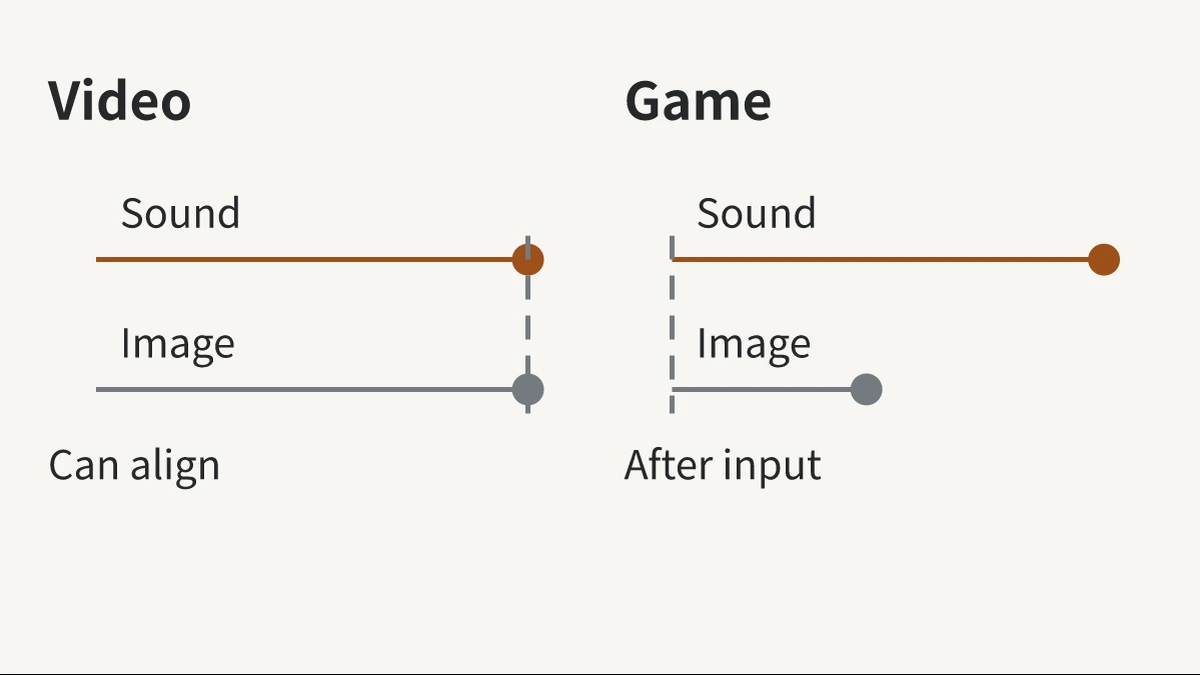
If you are developing in-ear TWS (true wireless) gaming earbuds, matching lip movements during video playback does not tell you how quickly they will respond in a game. The same earbuds may seem synchronized with a video, yet show an action in a game before you hear its sound effect. To understand the difference, consider when the sound is produced and whether the picture can wait.
Video can wait for sound; games must wait for input
In a prerecorded video, the picture and sound are already available. The player can delay the picture until the sound from the Bluetooth earbuds catches up. Once they align, you perceive synchronized audio and video, even though audio processing and transmission still take time.
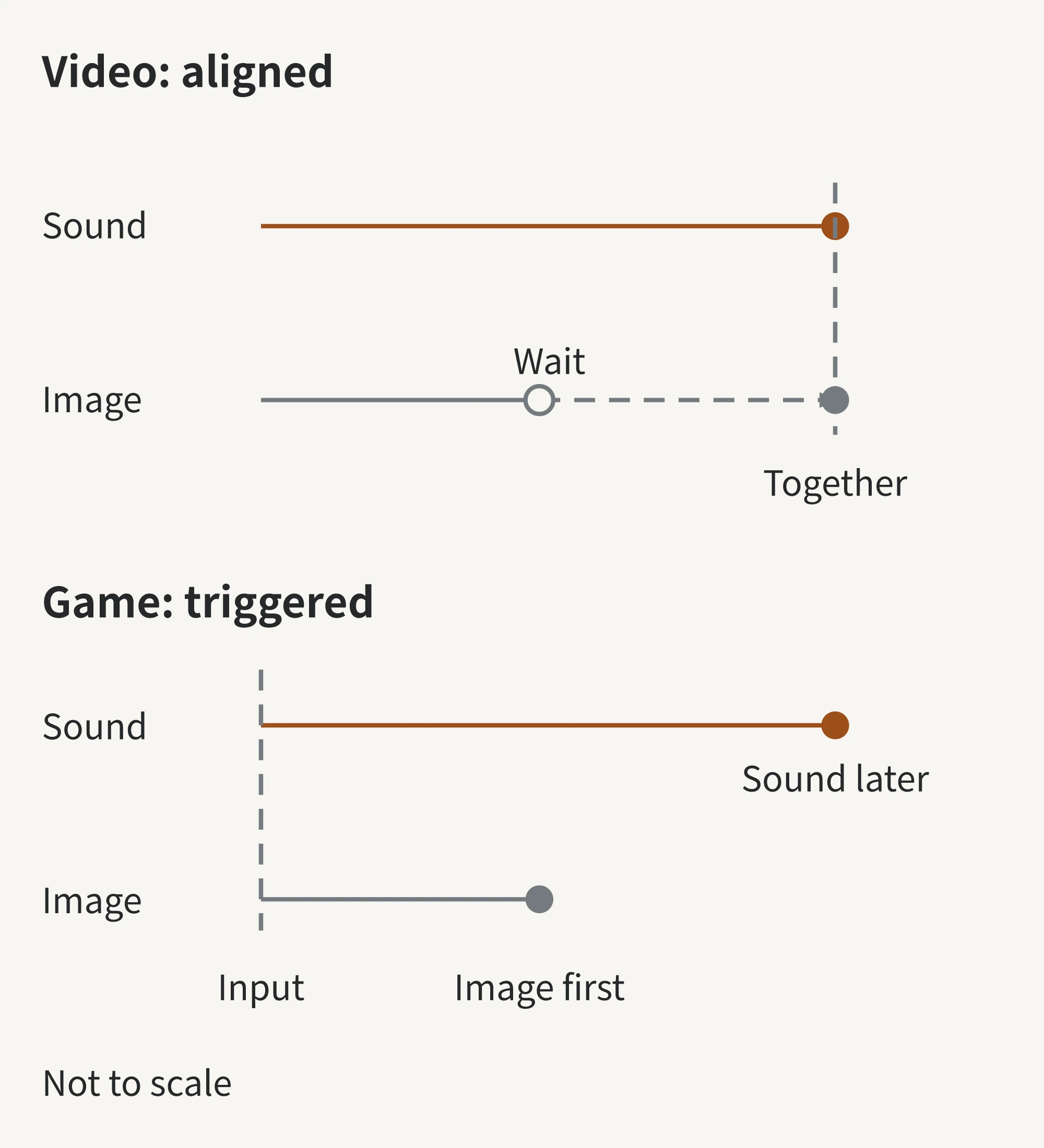
Sound effects in response to actions such as firing or jumping are determined only after you act. The sound then travels through the full phone-to-earbud chain. Even delaying the game picture would not shorten the wait between your input and the sound from the earbuds.
For video, you mainly check whether picture and sound align; for games, you also check how soon sound follows your input. Whether video compensation works depends on the player and device working together, so not every video will stay synchronized.
Where does game audio encounter delays?
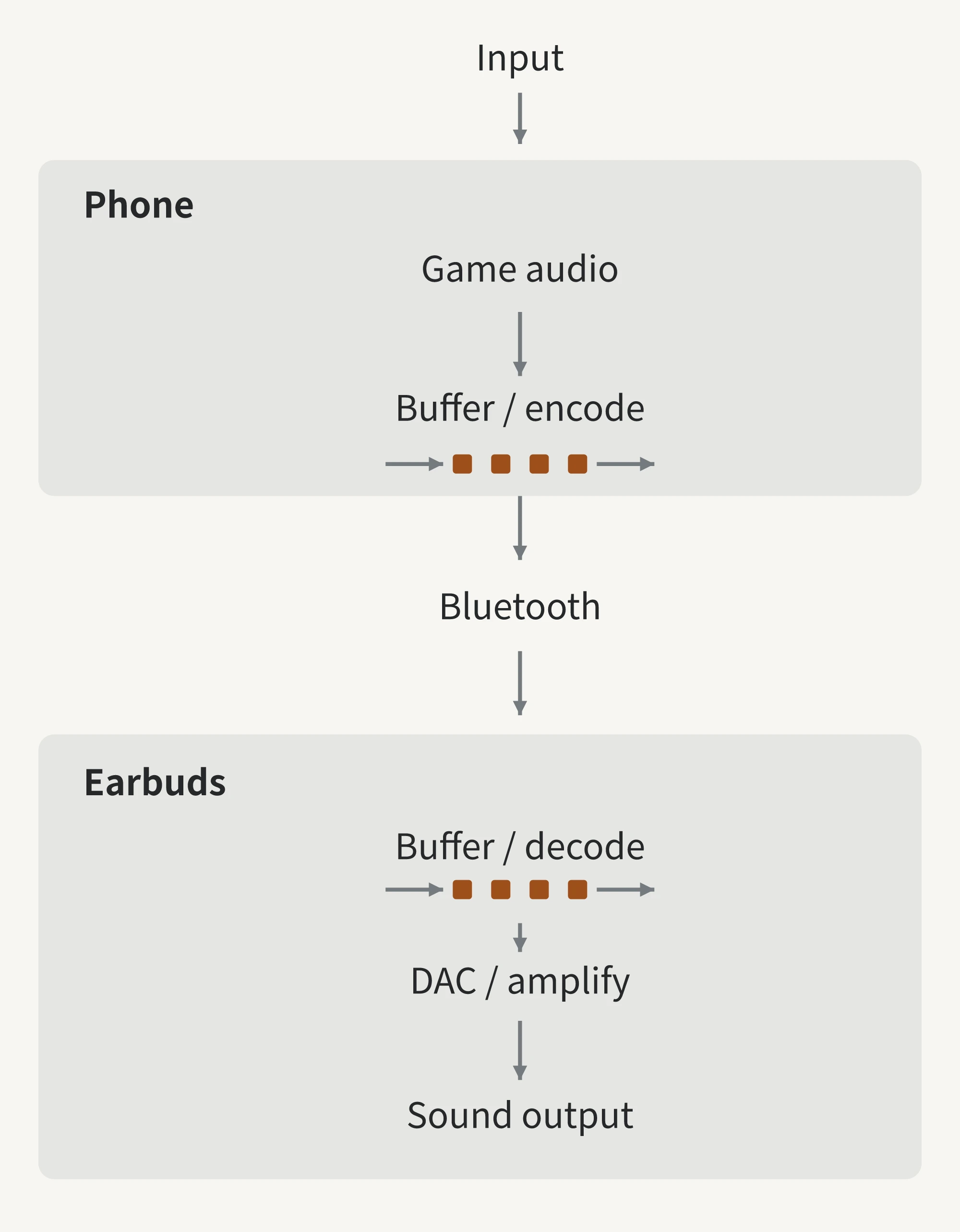
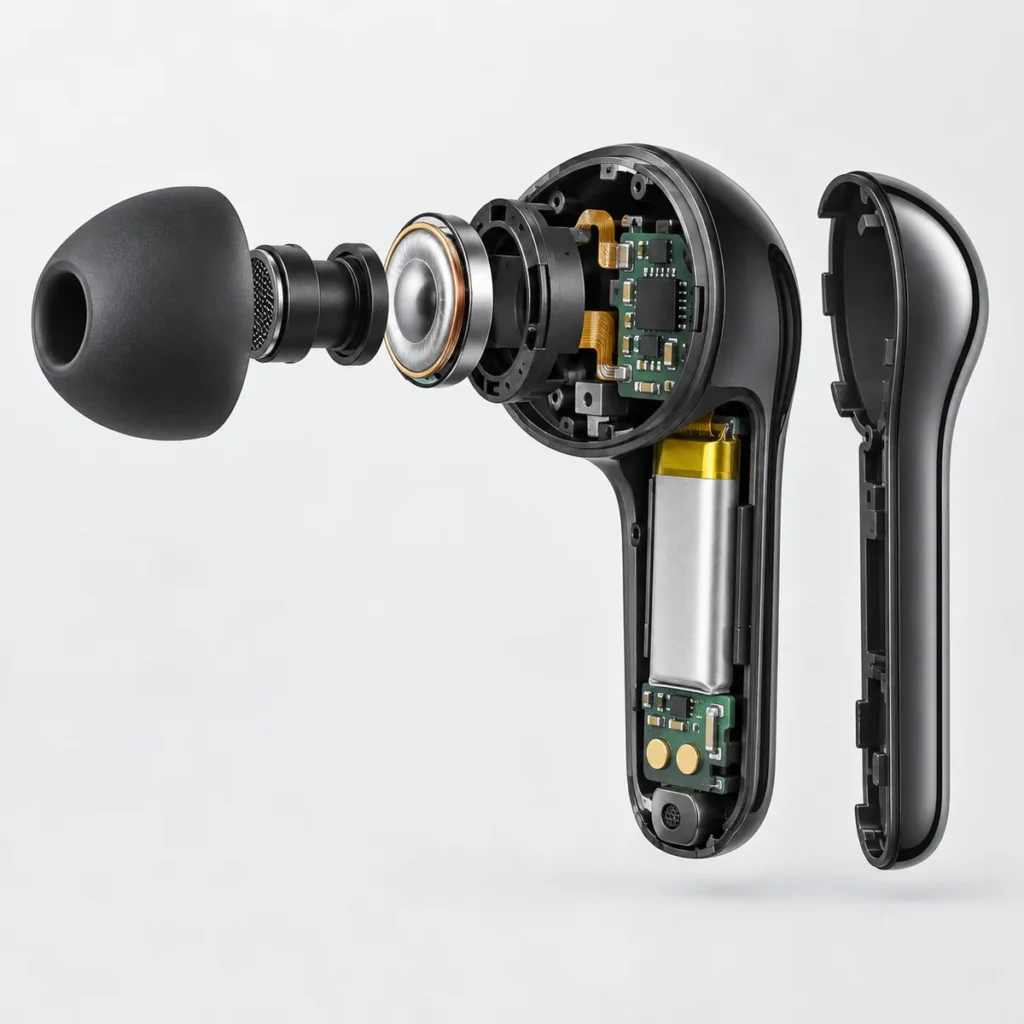
The phone encodes audio data into a format suitable for transmission. The earbuds decode the received data for playback, then convert and amplify the signal so the drivers can produce sound. This processing and transmission take time.
In the diagram, buffering means storing a short section of audio before playing it. Data does not always arrive at a steady rate, so stored audio helps playback continue smoothly; storing it before playback also adds waiting time.
Reducing buffering time is one way to improve latency. But if too little audio is buffered and the next data does not arrive in time, playback can stutter. During development, check both how quickly sound responds and how continuously it plays.
Which part of the chain a gaming mode changes depends on the actual design. It cannot predict your next action, and an earbud setting alone cannot eliminate processing time in the phone or game.
Define latency requirements for a new custom design
Once you understand the chain, turn “low latency” into three concrete questions when discussing gaming earbuds with a factory:
- Which phones and games will the earbuds mainly be used with? Specify the target phone models, operating systems, and games, and whether users need voice chat while playing. How the earbuds and phone work together affects the actual audio path.
- Which part of the wait can this design reduce? Ask the factory to use the signal chain to explain which processing or buffering delays its gaming mode changes, and whether the target phone can actually use that design. If you are considering LE Audio (Bluetooth Low Energy Audio), verify support on both the phone and earbuds, as well as the connection actually used; the Bluetooth version number does not establish these conditions.
- Where does latency measurement start and end? The time spent in a chip or codec stage differs from the total time between your input and sound output from the earbuds. Agree on the measurement endpoints and test conditions before discussing a target value. Compare samples with the mode on and off using the same phone and game, test voice-chat use separately, and check for audio stuttering too.
Yinshidon offers customization of complete in-ear true wireless earbuds. For a new design, first clarify these use conditions and the audio design, then confirm actual performance with samples. Lip sync during video playback checks audio-video alignment; responsive game sound still needs to be verified in the agreed gaming scenarios.
Technical basis: the Bluetooth SIG’s technical interview on audio latency, and Android documentation on audio latency and low-latency game audio development.
Popular TWS Earbuds
Wholesale from 100 pcs per model, mix models in one order. Your logo from 1,000 pcs.