When evaluating a set of TWS (true wireless stereo) earbuds, why might the earbuds fail to recharge even though they have snapped into their slots and the lid is firmly closed? Understanding this requires a closer look at how the case detects lid position, how the charging contacts connect, and how power reaches the earbud batteries.
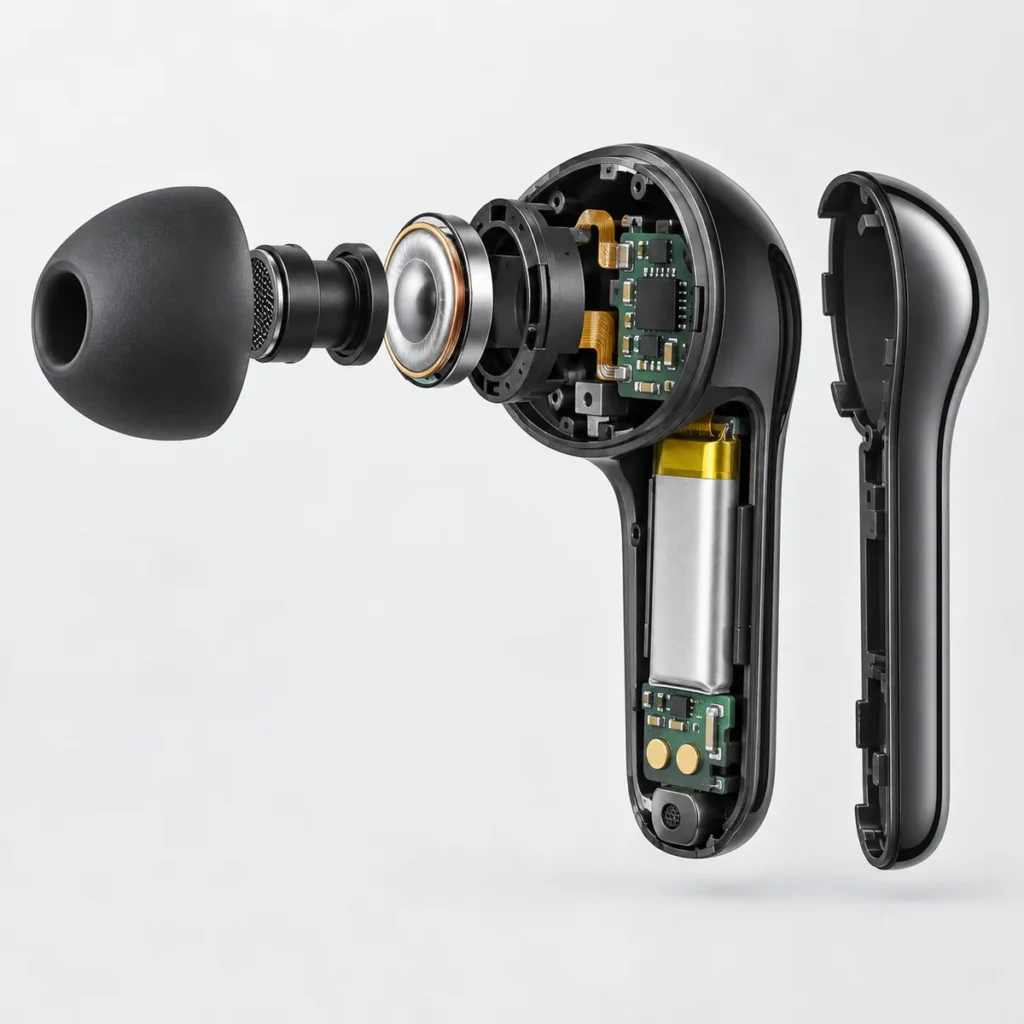
In a charging case that uses Hall sensing, magnets and a Hall sensor provide the circuit with information about the lid’s state. Spring-loaded contacts connect the case’s power output to the earbuds, while the charging management circuit controls battery charging. Understanding how these parts work together explains why being held in place, having the lid closed, and actually charging can produce different results.
How does lid position become an electrical signal?
A Hall sensor detects a magnetic field. In one common lid-detection arrangement, a magnet sits inside the lid and the sensor is fixed in the case body. As the lid rotates, the magnet moves relative to the sensor, changing the magnetic field at the sensor’s location.
Consider the arrangement shown below, where closing the lid brings the magnet closer to the sensor. A digital Hall switch changes its output logic level when the magnetic field along its sensing direction rises to the operate threshold. When the lid opens and the magnet moves away, the field falls to the release threshold and the output returns to its previous state. The control circuit reads these two logic levels to determine whether the lid is open or closed, according to the design. The case can therefore detect lid movement without the lid pressing an exposed mechanical button.
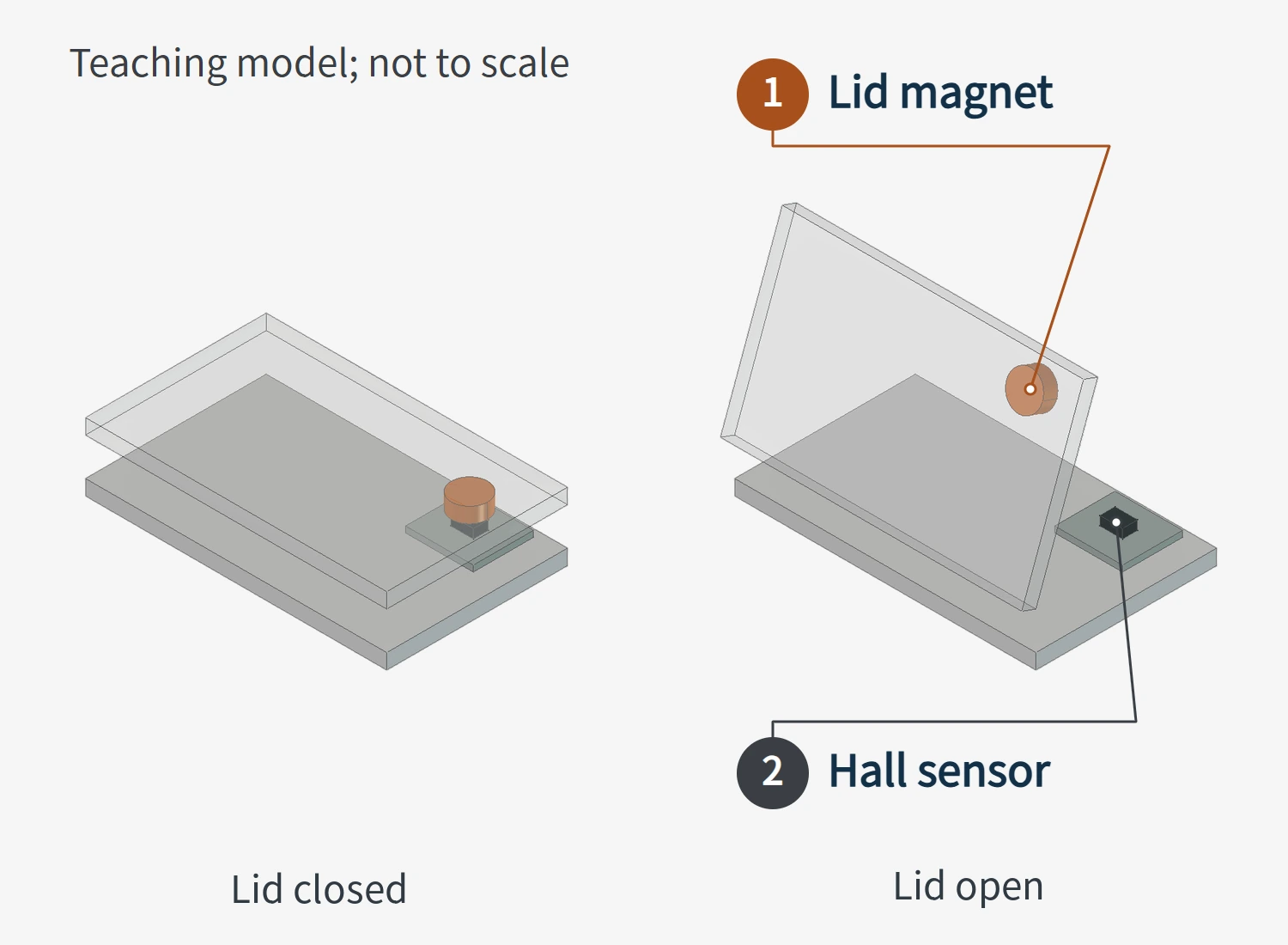
The lid-state signal still passes through the product’s control logic before it leads to actions such as turning on an indicator, waking the earbuds, or sending a command. The Hall sensor itself does not establish a Bluetooth connection. Whether the earbuds connect to a phone when the lid opens or only after they are removed depends on the product’s design.
Mounting orientation also affects detection. A single-axis Hall switch senses the magnetic field component along a specified direction. Some devices, for example, sense the component perpendicular to the top of the package. Even at the same magnet-to-sensor distance, changing the magnet’s orientation or the chip’s mounting direction can change the sensing result. Some versions respond to a specified magnetic pole, while others respond to either pole. Assembly therefore requires checking the magnet’s orientation, the sensor’s direction, and their relative positions together, rather than specifying one universal distance.
This is why magnetic holding force and lid detection need separate checks. A lid that snaps shut shows that magnetic force is holding it closed. Whether the sensor switches correctly depends on whether the magnetic field at its location meets its operating requirements.
How do the pogo pins connect once the earbuds are seated?
Magnets in the charging case can also hold the earbuds in position. This is a different task from detecting the lid. Even if the same group of magnets serves more than one function, it must still meet the requirements for both positioning and detection.
When an earbud is placed in its slot, its metal contact pads need to align with the case’s charging pins. These pins are commonly called spring-loaded contacts, or pogo pins. The plunger retracts into the barrel along its own axis. Once compressed, the internal spring keeps pushing the plunger against the earbud’s contact pad to maintain contact.
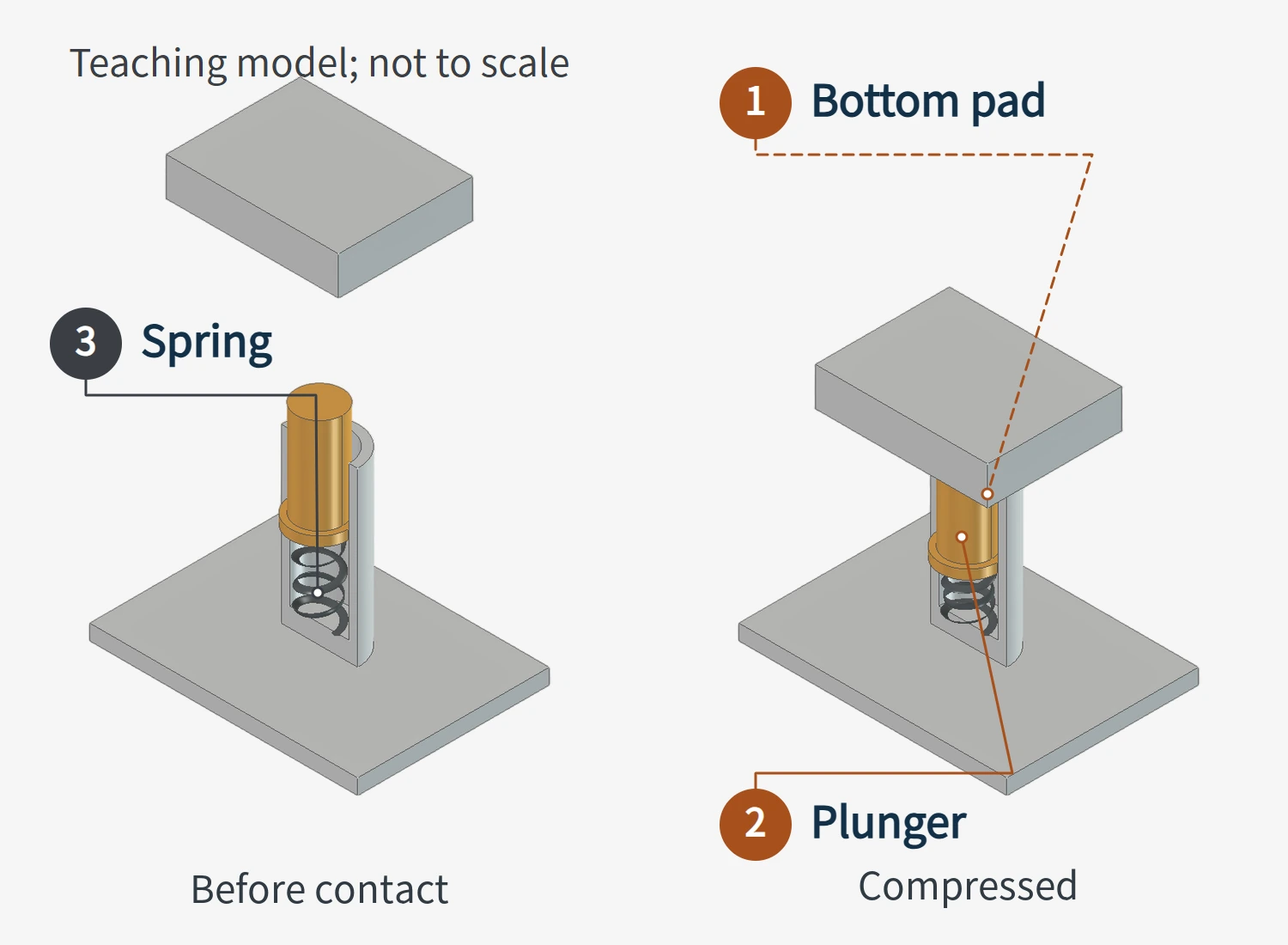
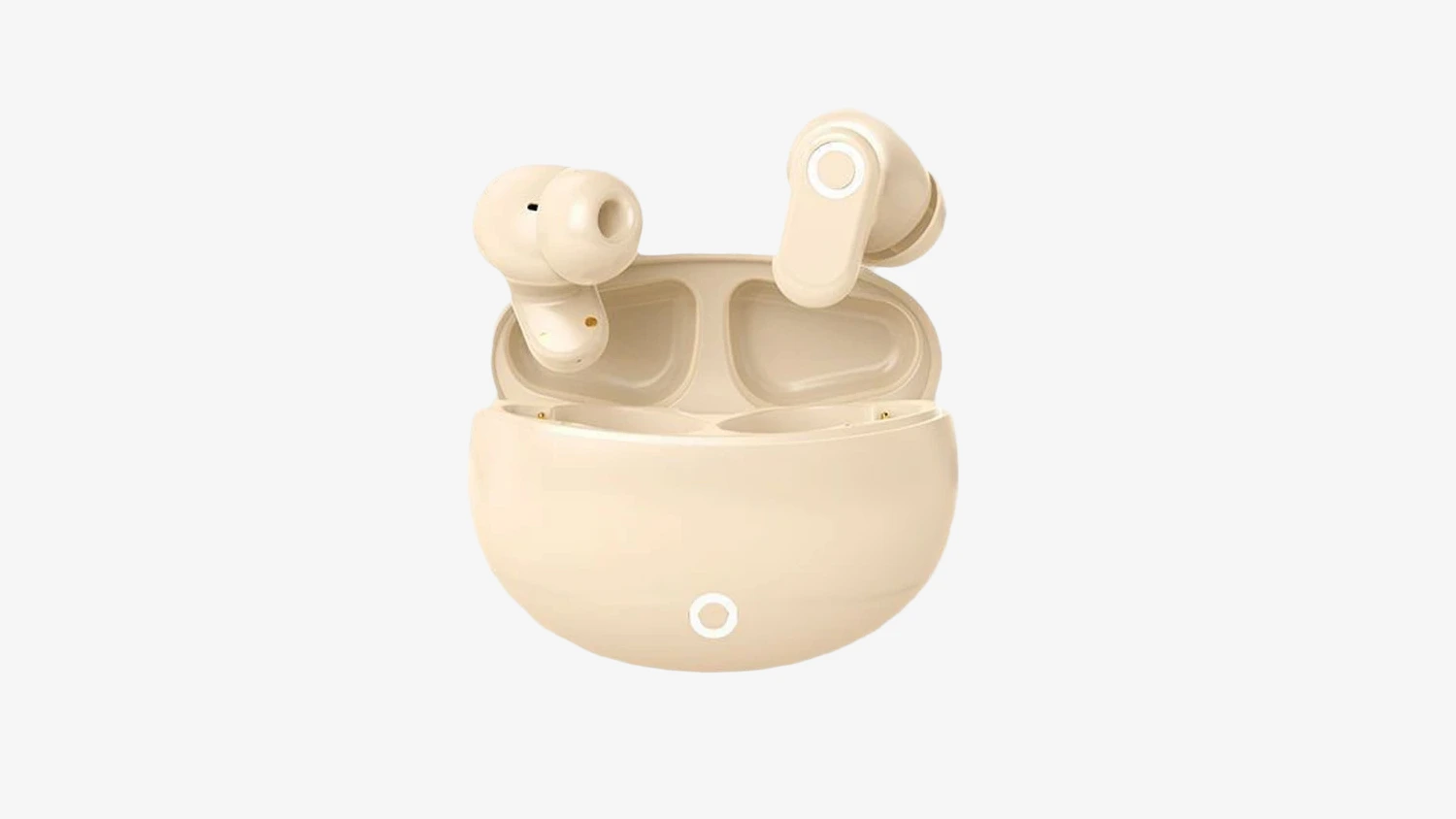
Magnetic retention, the shape of the slot, and the spring force of the pogo pin need to work together. The earbud’s seated height and orientation affect whether the pad aligns with the plunger and how far the plunger is compressed. An earbud may appear to be held in place, yet still fail to make an electrical connection if it sits at the wrong angle. Incorrectly fitted ear tips or ear wings can also prevent the earbud from seating fully.
A pogo pin’s ability to compress does not mean that more compression is always better. Too little compression can make contact unstable, while operating close to full compression can affect mechanical life. Ordinary axial pogo pins should also be protected from sideways forces as the earbud is inserted. The working stroke must be determined from the connector specification and the complete assembly. Simply seeing that an earbud fits into the case does not confirm that its contact compression is appropriate.
What path does power take from the case battery to the earbud battery?
Once the contacts connect, power still needs to pass through the power supply and charging management circuits.
When no external power source is connected, the case battery supplies the energy. Depending on the design, the case’s power circuit converts this to the input required by the earbud, then delivers it through the pogo pins and the earbud’s contact pads. The charging management circuit inside the earbud controls the charging current and voltage delivered to its battery. The pogo pins provide the electrical connection; they do not perform these control functions.
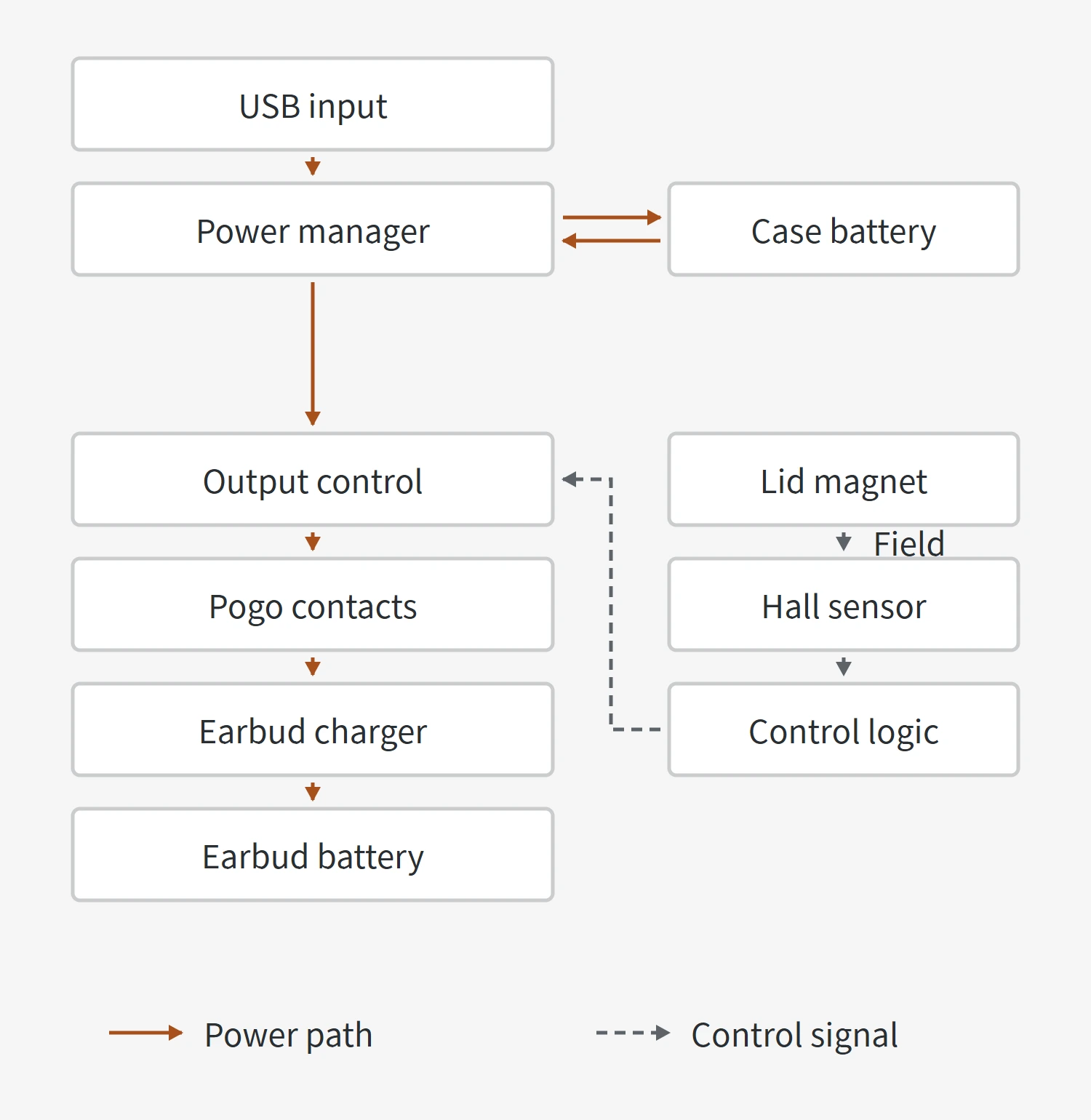
With a charging cable connected, distinguish between charging the case and charging the earbuds from the case. Charging the case mainly involves the input connector, the case’s charging management circuit, and its battery. Charging the earbuds also involves the case’s output, the separate contacts for the left and right earbuds, and each earbud’s charging management circuit. A design with suitable power-path management can supply the earbuds from the external input while also charging the case battery. It does not have to charge the case battery fully first. This is why the case’s power management circuit in the diagram connects to both the case battery and the output. Whether each earbud can charge still depends on its own contacts and charging circuit.
The contacts may also serve as a communication interface. One two-contact reference design from Texas Instruments uses the same interface for charging and data transfer at different times. After the case controller detects a closed-lid signal, it sends a command through the charging contacts. The earbud receives the command and sends a response. What the earbud does next depends on its program and the commands agreed between the two sides. The Hall sensor does not directly connect or disconnect the earbud’s Bluetooth link.
In this reference design, the interface is placed in a charging-ready state when it is not communicating; closing the lid triggers the command exchange. Whether the lid must be closed before charging starts depends on the product’s design. When evaluating a sample, check lid-state detection, the communication response, and charging status separately.
Why might the earbuds still not charge with the lid closed?
If any of the conditions described above are not met, the earbuds may fail to charge. When examining a sample, relate the symptom to the relevant parts rather than assuming that the sensor is faulty simply because the lid is closed.
| What you observe | Why it can happen | What to check first |
|---|---|---|
| The earbud is held in place but shows no charging response | The earbud may not be fully seated, leaving its contact pads misaligned with the pogo pins. Ear tips, ear wings, or debris in the case may also prevent full seating. | Check whether the earbud sits fully in its intended slot and whether an attachment obstructs it. |
| Dust, earwax, or other contamination is visible on the contacts | Contamination can obstruct the contact surfaces and prevent a reliable electrical connection between the earbud pads and the case’s pogo pins. | Check the contact surfaces on both the earbud and the case, rather than only one side. |
| The earbud remains connected to the phone while inside the case | In some products, poor contact or insufficient case battery charge can prevent the earbud from shutting down as intended, so it continues trying to connect. | Check the case battery level and earbud seating, then consider that model’s shutdown logic. |
| The charging case’s indicator is on | The light may indicate the case battery level, lid state, pairing, or charging. | Check the indicator meanings for that model and distinguish the case’s state from the charging status of the left and right earbuds. |
These symptoms point to areas worth checking; they do not establish a fault from appearance alone. For example, if reseating an earbud restores charging, its seating and contacts deserve further examination. If the same slot repeatedly has a problem, the contact pads, pogo pins, earbud orientation, and circuit state need checking. Not every problem can be attributed directly to magnetic holding force.
When evaluating a complete set of true wireless earbuds, consider the case and earbuds together. In a design using this type of magnetic detection, lid movement should produce the correct state signal. Once the earbud is seated, its contacts should make a stable connection, allowing the power and charging circuits to recharge the battery. Observing these processes separately helps identify which function an exterior or assembly change actually affects.