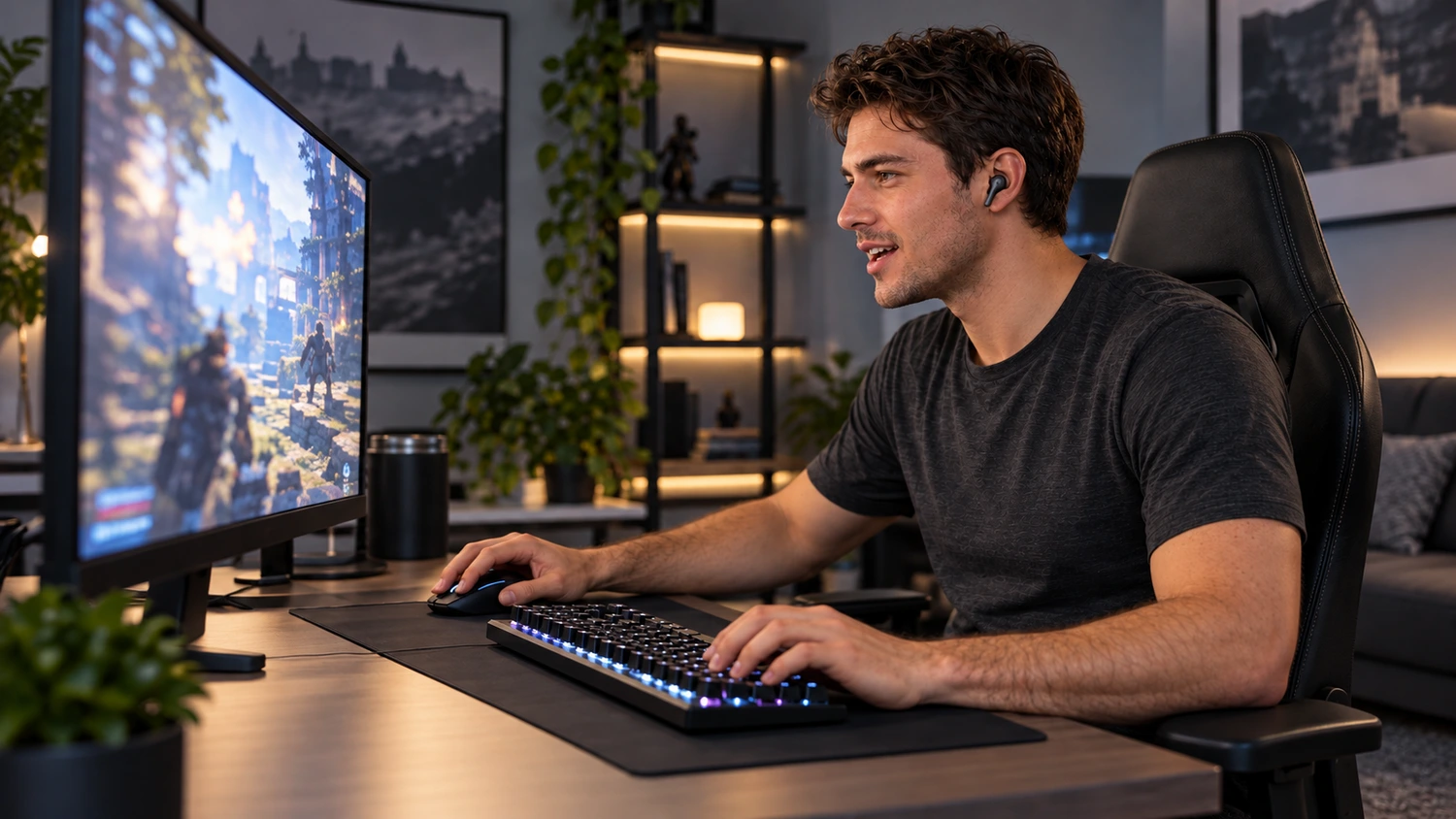
When choosing gaming earbud samples for your brand, listening to a music track is not enough. You also need to know whether you can still distinguish sounds in the game, and whether teammates can hear you clearly, when the game keeps playing and the microphone is in use.
Yinshidon supplies compact, complete earphones and offers customization services. For earbuds like these, we recommend starting with the phone, computer, or console you plan to use. Confirm that game audio and voice chat work together before comparing sound and fit. A model deserves a place on your shortlist only if it suits those conditions. Labels such as “gaming mode” or “with microphone,” or a newer Bluetooth version, cannot replace that check.
First, Check That Your Device Supports Listening and Voice Chat Together
Gaming earbuds need to do two things at once: deliver game audio to your ears and send your speech into the voice chat app, which then passes it to your teammates. In the device settings, these are audio output and microphone input. Check each path separately.
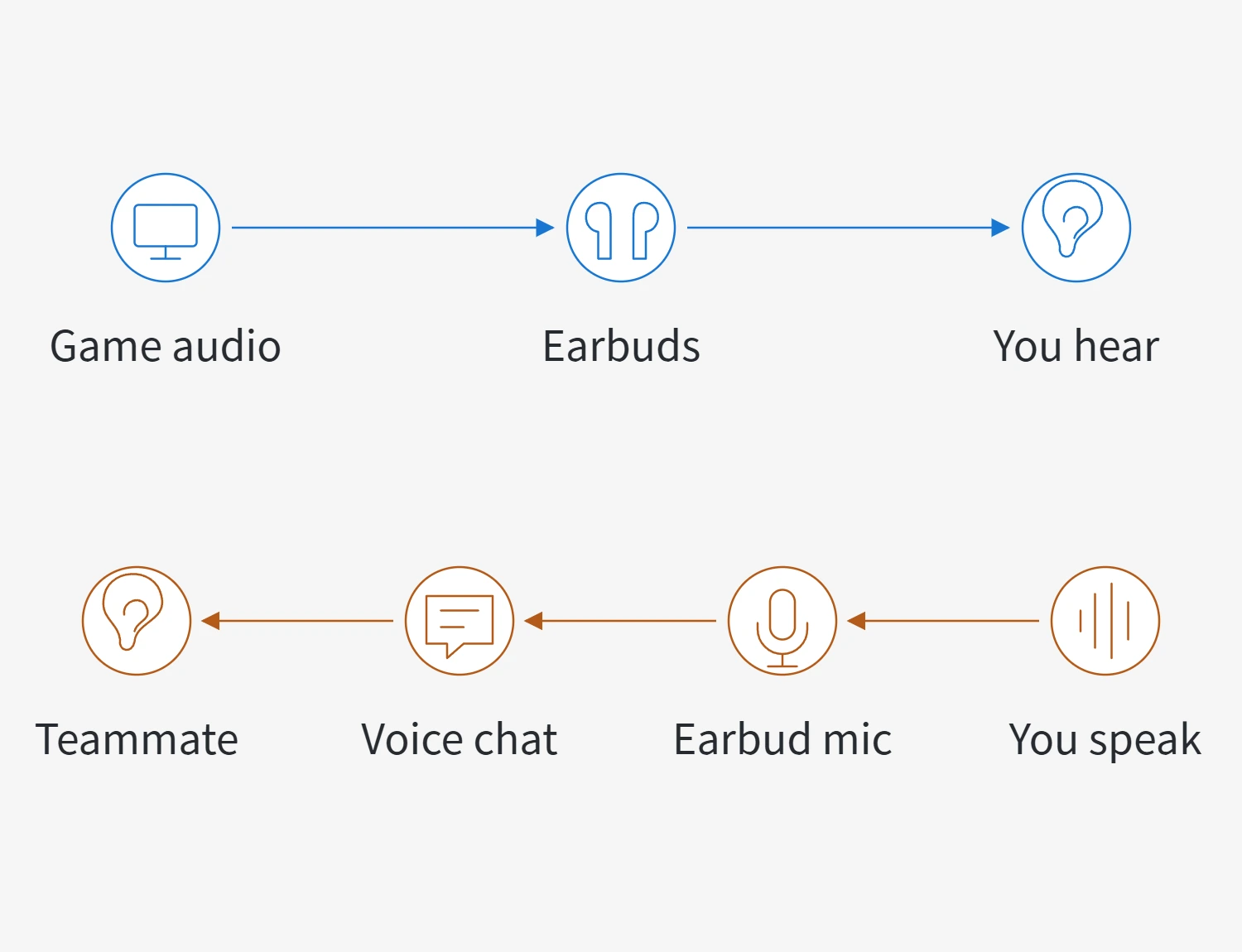
Even if the earbuds play sound and you can already chat, check which input device the app has actually selected. If it is still using the laptop’s built-in microphone, the recording you hear cannot tell you how the earbud microphone performs. Check input and output settings on consoles, too. PS5, for example, lets you select them separately and explicitly notes that not all devices are compatible.
Before comparing connection options, check these conditions:
| Connection option | What to check | What it means for gaming with voice chat |
|---|---|---|
| 3.5 mm wired earbuds | Whether the earbuds have a microphone, and whether the device’s jack and any adapter support the required microphone path | A plug that fits and plays sound does not prove that you can use the earbud microphone |
| Digital USB earbuds | Whether the specific model provides microphone input, and whether the target device supports those earbuds | Digital USB earphones can also come without a microphone; the USB-C connector shape alone is not enough |
| Bluetooth earbuds | Whether the target device supports the required playback and voice functions, and which audio mode it uses with the microphone | After pairing succeeds, you still need to compare performance while listening and speaking at the same time |
Once you have confirmed the connector and adapter compatibility of wired earbuds, you can move on to comparing them in a game. Bluetooth options have another possible change that a music audition can miss: using the earbud microphone may change how playback audio is delivered.
Compare Bluetooth Game Audio with the Microphone in Use
Take classic Bluetooth audio on Windows as an example. For playback alone, it can use A2DP, the high-quality stereo playback path. When an app uses the earbud microphone, the system switches to the HFP hands-free path. Microsoft explains that this classic voice path handles mono playback and microphone capture together. As a result, music playback and game audio with the microphone in use can sound noticeably different through the same earbuds.
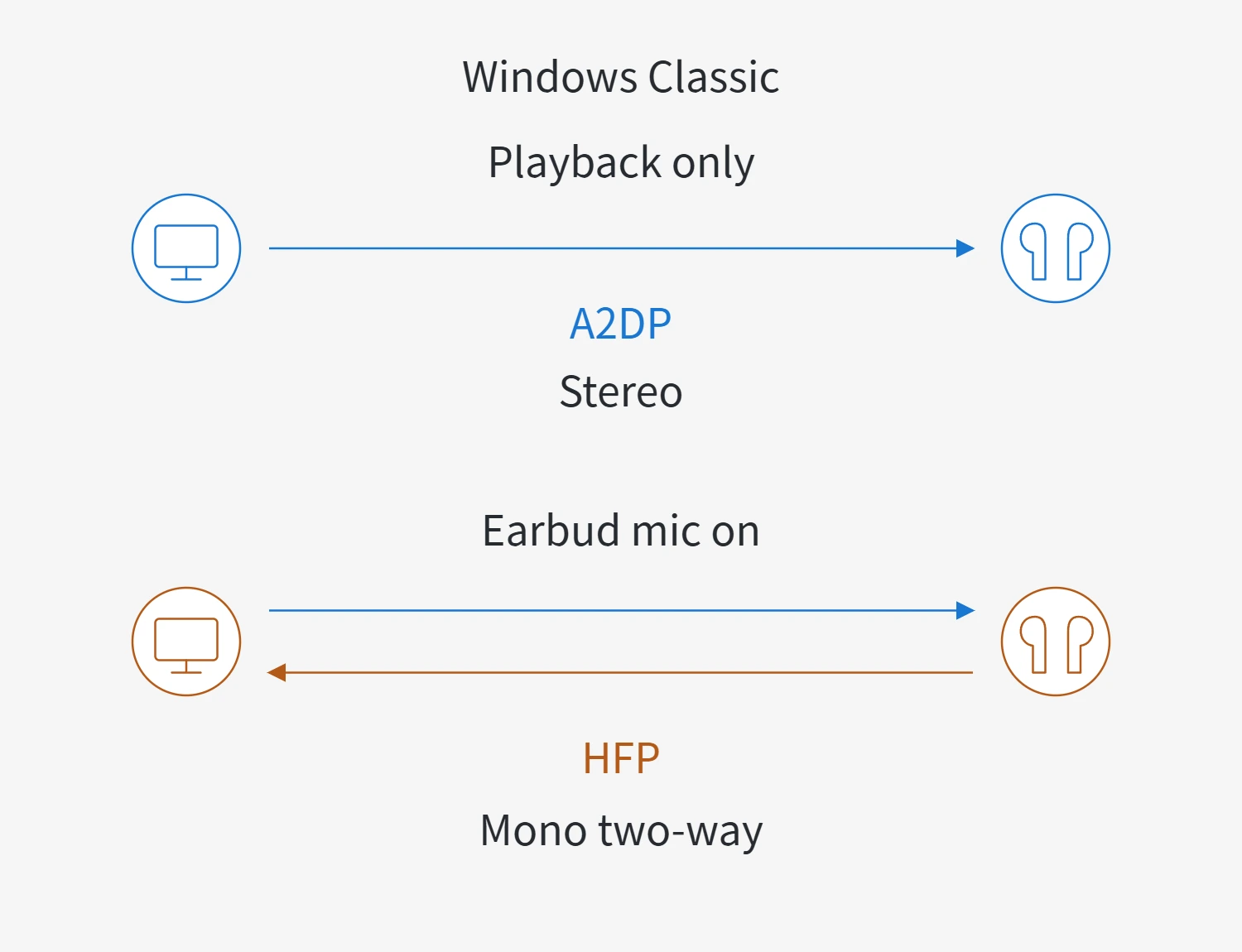
This is why you should keep the game playing while starting the voice chat you actually intend to use. Listen for changes in the game audio. Check whether left and right sounds that you could previously distinguish remain distinguishable, and whether talking causes audio interruptions you find unacceptable. “It sounds good again when I turn the microphone off” does not establish how it performs with the microphone in use.
However, you should not assume that all Bluetooth earbuds are limited to mono playback when the microphone is in use. Microsoft supports stereo playback while using a microphone on supported LE Audio (Bluetooth Low Energy Audio) combinations. This requires Windows 11 version 24H2 or later with the relevant updates, compatible PC hardware and manufacturer drivers, and earbuds that support LE Audio. The specific PC setup must also support stereo playback while the microphone is in use. A “Bluetooth Low Energy” label or a Bluetooth version number alone does not establish that capability.
If your gaming involves continuous voice chat, screen wireless options in that state. A wired connection removes the classic Bluetooth playback-to-voice switching variable described above, but it still needs to meet the input and output compatibility conditions in the previous section. Whether it suits gaming ultimately depends on the actual audio and voice performance, rather than the connection name alone.
Judge the Microphone by What Your Teammates Hear
After confirming that the app is using the earbud microphone, check the input level, then join a real voice chat and have someone at the other end listen. Use the same sentence to compare candidates. Start in a quiet setting, then type as you normally would while playing, with your usual fan running and the game audio continuing. Check whether speech is understandable, whether words are cut off, and whether background sound interferes with the conversation. These are comparison methods, rather than universal pass criteria for every product.
Local microphone playback is useful for checking that an input signal is present. It cannot replace the full result heard by a teammate. Discord’s microphone test, for example, plays back the selected input, but it mutes and deafens you in the voice channel during the test. Finish the test and return to the actual channel before judging the combined gaming and voice chat experience.
Keep the voice chat app’s noise suppression settings the same across comparisons. Software processing changes what your teammates hear. If it is enabled for one pair of earbuds and disabled for another, you cannot attribute the entire difference to the earbuds. Stronger suppression is not always better, either. Discord notes that its background noise processing may reduce voice quality when a high-quality microphone is used in a quiet environment. Alongside a quieter background, listen for speech that remains complete and clear.
It is also necessary to distinguish two types of noise reduction. Active noise cancellation (ANC) mainly reduces the ambient noise you hear. Call noise reduction processes the speech and background sound sent to your teammates. A quieter listening experience for you does not mean that they can hear you clearly. In the two-path diagram above, one result is at your ears and the other is at your teammate’s end. The performance of one path cannot establish the performance of the other.
When comparing gaming earbuds with a microphone, microphone count and labels such as ANC or ENC (environmental noise cancellation for calls) therefore indicate features to investigate further. The comparison that matters is whether your teammates can hear what you say clearly on the target device, with the same voice chat settings.
Then Compare Sound and Fit in the Same Game
Once game audio and voice chat work together, and voice quality is suitable, compare the game audio itself. For games where direction matters, use the same game and the same sequence or a repeatable scene to compare footsteps, alerts, or other sounds coming from different positions. Keep the volume and in-game audio settings the same. Judge whether you can distinguish the cues you need, rather than assuming that impressive explosions mean more accurate sound positioning.
Labels such as “7.1” or “360-degree” do not, by themselves, establish that a pair of earbuds is better for gaming. Spatial audio processing can happen on the gaming platform. Microsoft’s spatial audio can render positional cues for ordinary stereo headphones, while PS5 lets users build a profile based on how they perceive sound positions and directions. You are therefore comparing the result of the earbuds, the target game, and the actual settings together. Follow the platform and game’s setup instructions, then compare candidates under the same conditions. That tells you more than counting surround-sound labels on the packaging.
For in-ear earbuds with ear tips, check the fit as well. The seal between the tip and the ear canal affects listening, and appearance alone cannot tell you whether it seals properly. Wear the actual candidates, try a suitable tip size, and check whether they loosen when you turn your head, speak, or operate the controls. Then wear them for the gaming duration you have in mind. Check for pressure and the need for frequent adjustments. Try mute, volume, and touch controls while playing, too, rather than merely checking that the buttons respond.
Finally, bring the choice back to the intended use. If you keep voice chat active and want to reduce the effect of classic Bluetooth mode switching, start by comparing compatible wired earbuds. If you need the freedom to move without a cable, look for wireless combinations that still deliver suitable audio and voice performance on the target device while the microphone is in use. If you mostly listen to the game and rarely chat, you can give sound and fit more weight, but still check whether occasional microphone use is acceptable. No pair of earbuds suits everyone simply because it carries a “gaming” label. Your reason for choosing it should match the device, games, and way you actually communicate.